
Online PDF Editor
Edit text, highlight passages, draw, add images and sign documents straight in your browser. Nothing is uploaded, and the file you download keeps its original text and formatting.
Drag your file here or choose it from your device. The editor opens as soon as the first page is ready.
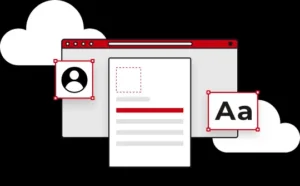
Place text, images and shapes exactly where you want them
Every element you add is a real object, not a flattened stamp. Click it to select it, drag the corner handles to resize, nudge it with the arrow keys, change its colour or opacity from the panel, or push it behind something else. Nothing is committed until you export.
That means a logo dropped in the wrong corner is a two-second fix rather than a reason to start the document again, and a text box you typed last week reopens for editing with a double-click.
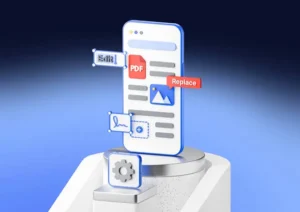
Edit, replace and sign from your phone
The same editor runs on a phone or tablet with no app to install. Tools move to a bottom bar, pages and settings slide in as panels, and drawing responds to touch, so signing a contract with a fingertip works as naturally as using a mouse.
Because the file is processed on your device rather than a server, a slow mobile connection only affects the first load. After that, editing and exporting are instant.
More free tools on Toolesh
Everything here runs in your browser, with no account and no watermark.
Rename PDF
Give one PDF a proper name, or rename a whole batch with numbers, dates or suffixes.
Open toolScribd Downloader
Save Scribd documents as PDF without a login, then edit or sign them here.
Open toolStudocu Downloader
Download lecture notes and study files as PDF, ready to highlight and annotate.
Open toolSlideShare Downloader
Turn SlideShare decks into PDFs instantly, with no account needed.
Open toolIssuu Downloader
Save Issuu magazines and publications in PDF format, free and without a subscription.
Open toolPhoto Enhancer & Upscaler
Sharpen and upscale an image before you place it into a document or signature.
Open toolEverything you can do with this online PDF editor
A PDF is designed to look identical everywhere, which is exactly why it is so hard to change: every character is fixed to a coordinate, so opening one in the wrong program scrambles the layout you were trying to protect. This free online PDF editor renders the real document, lets you place edits precisely where you want them, and writes the result back into a genuine PDF that opens correctly in Acrobat, Preview, Chrome, or any reader your recipient uses.
There is no account to create, no watermark stamped across your work, and no trial that expires after three documents. You open a file, edit it, and download it, on any modern browser on Windows, macOS, Linux, Android, or iOS.
Adding and editing text in a PDF
Most people searching for a PDF editor need a small text change: a wrong date on an invoice, a misspelled name on a certificate, a blank field on a form that was never made fillable. Click the text tool, click anywhere on the page, and type. You control the typeface, size, weight, alignment, and colour from the panel on the right, so the new line matches the surrounding document rather than announcing itself.
Correcting existing text works differently, and the difference matters. Rather than rewriting the original text object and risking the layout, cover the old wording with the whiteout tool and type the replacement on top. Double-clicking any text box you added reopens it, so revisions never mean starting over.
Images, logos and signatures
Signing a document should not require printing it. Open the signature tool, draw your signature with a mouse, trackpad, or fingertip, or type your name and choose a handwriting style, and it is placed on the page as a transparent image you can drag and resize. The same tool handles logos, letterheads, stamps, and screenshots, and you can drag an image file straight onto an open document to place it.
Highlighting, drawing and marking up documents
Review work needs a different set of instruments. The highlighter lays translucent colour over a passage so the words underneath stay readable, and the underline tool draws a clean rule beneath a line of text. The pen gives you free movement for circling a figure or sketching a correction in the margin, while rectangles, circles, arrows, and straight lines are there when a comment needs to point at something specific. Every mark has its own colour, thickness, and opacity, and can be moved, resized, duplicated, or deleted afterwards.
Because each element stays independent until you export, nothing is destructive. A full undo and redo history follows every action, so an experiment that does not work costs you a keystroke rather than the document.
Rotating, reordering and deleting pages
Scanned documents rarely arrive in perfect shape. Pages come in sideways, in the wrong sequence, or with a cover sheet nobody needs. The thumbnail strip shows every page in the file, and you can drag a thumbnail to move that page anywhere, rotate it in either direction, duplicate it, or remove it. Annotations rotate with the page they belong to, so a highlight stays exactly on the words you marked.
Your files never leave your device
Most online PDF tools work by uploading your document to a server, processing it there, and sending it back. That is a genuine privacy question when the file is a contract, a medical record, a bank statement, or a passport scan. This editor does its work locally. The document is read, rendered, edited, and rebuilt inside your browser tab, which means nothing is transmitted, nothing is stored, and nothing is retained after you close the page. It also means the editor keeps working when your connection drops mid-session.
Exporting a PDF that still behaves like a PDF
A common shortcut among free editors is to flatten every page into a picture. The file opens, but the text is no longer selectable, searchable, or readable by screen readers, and the size balloons. This editor rebuilds the document properly instead. Page order, rotation, and deletions are applied to the real page objects, so the original text layer survives intact, and only your annotations are composited on top. The exported file downloads straight to your device with the filename you choose.
Built for desktop and mobile
On a large screen you get the full workspace: tools on the left, pages beside them, the document in the centre, and properties on the right. On a phone the same features rearrange into a bottom toolbar with panels that slide in when needed, and drawing works with touch exactly as it does with a mouse.
Common questions about editing PDF files
Yes. Every tool described here works without payment, registration, or a usage cap, and exported files carry no watermark.
You can replace it. Cover the original wording with the whiteout tool and type the new text over it, which produces a clean result without disturbing the layout.
No. The file on your computer is never modified. The editor works from a copy held in memory and writes a new document when you download, so the original stays exactly as it was.
Standard PDF files up to one hundred megabytes, including scanned documents and long reports. Password-protected files need to be unlocked first.
Once the page has loaded, editing and exporting keep working without a connection, because all processing happens in your browser.
Nowhere. The document only ever exists in the memory of that tab, so closing it discards everything. Download the edited file before you leave.
Your document, edited in the next two minutes.
Add text, highlight, sign, reorder pages and download — free, without an account, and without your file leaving this device.